$t
这个函数是整个 openSCAD 的运动仿真核心工具之一。
语法: 是将 $t 函数用个乘符号‘ *’ 乘以任何固定的数值,当乘以之后,这个函数就变成了一个变量,就会从 0 到这个数值。
同时这个函数必须配合菜单栏的 "View" 的子菜单“ Animate" 使用,生成一个带有时间延迟控制,和精度控制函数。
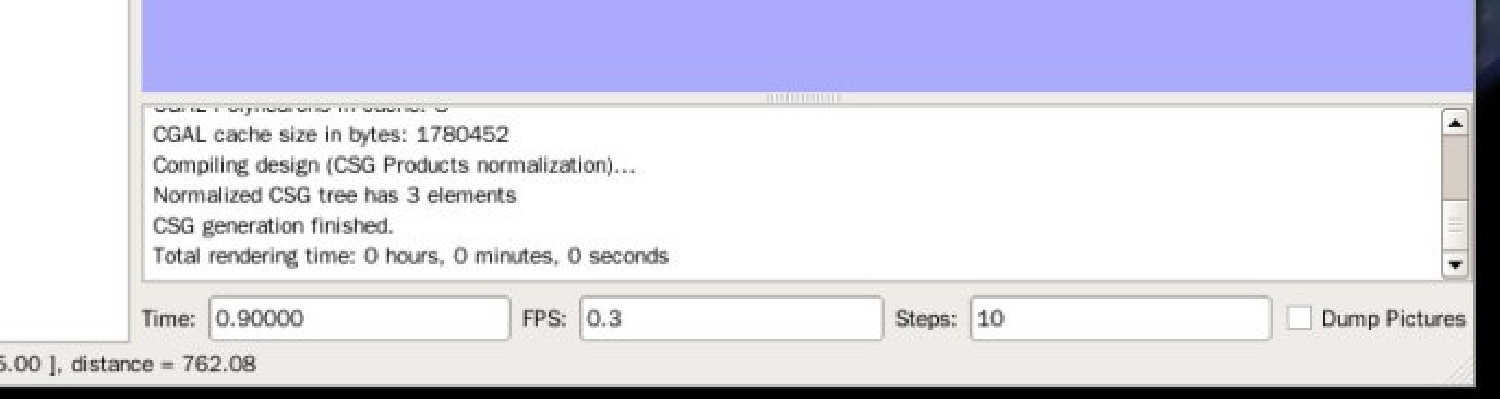
1 , Steps, 步数, 就是多少张图片的意思。
2 , FPS , FPS ,帧率, 每秒钟有多少张图片,这里有两个数值需要输入,
3, Time, 则是一个自动生成的函数,就是根据帧率和步数计算出来的。
然后,我们的固定数量 *$t 之后的变量,分成多少份,就是 steps, 而多少时间显示这些分数,就是FPS.
这里有一个时钟仿真案例,仅供参考。
首先,我们先用文档编辑器,或者 openSCAD 编辑以下代码,然后将这些代码保存为 hdf1.scad, 因为这个时钟仿真程序比较大,所以将一些函数放在头文件内,主体程序引用这些函数即可。
// hd1.scad
module clock(){
r=150;
for(ag=[0:30:360])
{
if(ag==0)
{
color("blue")
translate([r,0,0])
sphere(r=15,$fn=100);
}
else{
if(ag>0 && ag<90)
{
color("pink")
translate([cos(ag)*r,sin(ag)*r,0])
sphere(r=5,$fn=100);
}
else{
if(ag==90)
{
color("green")
translate([0,r,0])
sphere(r=15,$fn=100);
}
else{
if(ag>90 && ag<180)
{
color("dodgerblue")
translate([cos(ag)*r,sin(ag)*r,0])
sphere(r=5,$fn=100);
}
else{
if(ag==180)
{
color("yellow")
translate([-r,0,0])
sphere(r=15,$fn=100);
}
else{
if(ag>180 && ag<270)
{
color("lawngreen")
translate([cos(ag)*r,sin(ag)*r,0])
sphere(r=5,$fn=100);
}
else{
if(ag==270)
{
color("red")
translate([0,-r,0])
sphere(r=15,$fn=100);
}
else{
if(ag>270 && ag<360)
{
color("peru")
translate([cos(ag)*r,sin(ag)*r,0])
sphere(r=5,$fn=100);
}
}}}}}}}
}
}
保存 hdf1.scad 之后,我们打开一个新的 openSCAD 窗口,保存这个文件到 hdf1.scad 的文件目录中,否则无法引用 hdf1.scad 文件。比如说我们可以保存为 clock.scad 等等。
以下是时钟仿真程序代码:
include <hdf1.scad>
clock();
module pin(a, b){
color("brown")
cube([b, a, 20]);
color("orange")
translate([0, a, 0])
rotate([0, 0, 180])
cube([b, a, 20]);
color("beige")
translate([0, a, 0])
rotate([-90, 0, 0])
cylinder(20, b, h=20);
}
// hours pin
rotate([0, 0, 0])
color("purple")
pin(70,10);
// minutes pin
rotate([0, 0, 0])
pin(100, 7);
// seconds pin
rotate([0, 0, 360*$t])
color("black")
pin(110, 4);
我们然后点击 "View"->"Animate", 当你看到‘ Animate' 打上对勾,且右下角的运动仿真状态栏出现了Time, FPS, Steps, 的时候,这时候需要你设置 FPS 和 Steps 了。
我们已经把秒针的旋转设为 360 ,因为一个圆弧是以 360 度来计量一个元周期的,所以秒针的指针设置为 rotate([0, 0, 360*$t]); 参考已经设定好的程序代码。这里不需要改动,只是强调一下。
然后我们设置 FTS 为 4 , Steps=4, 这个时候黑色的秒针就开始已 0.25 秒一次的速度移动了。
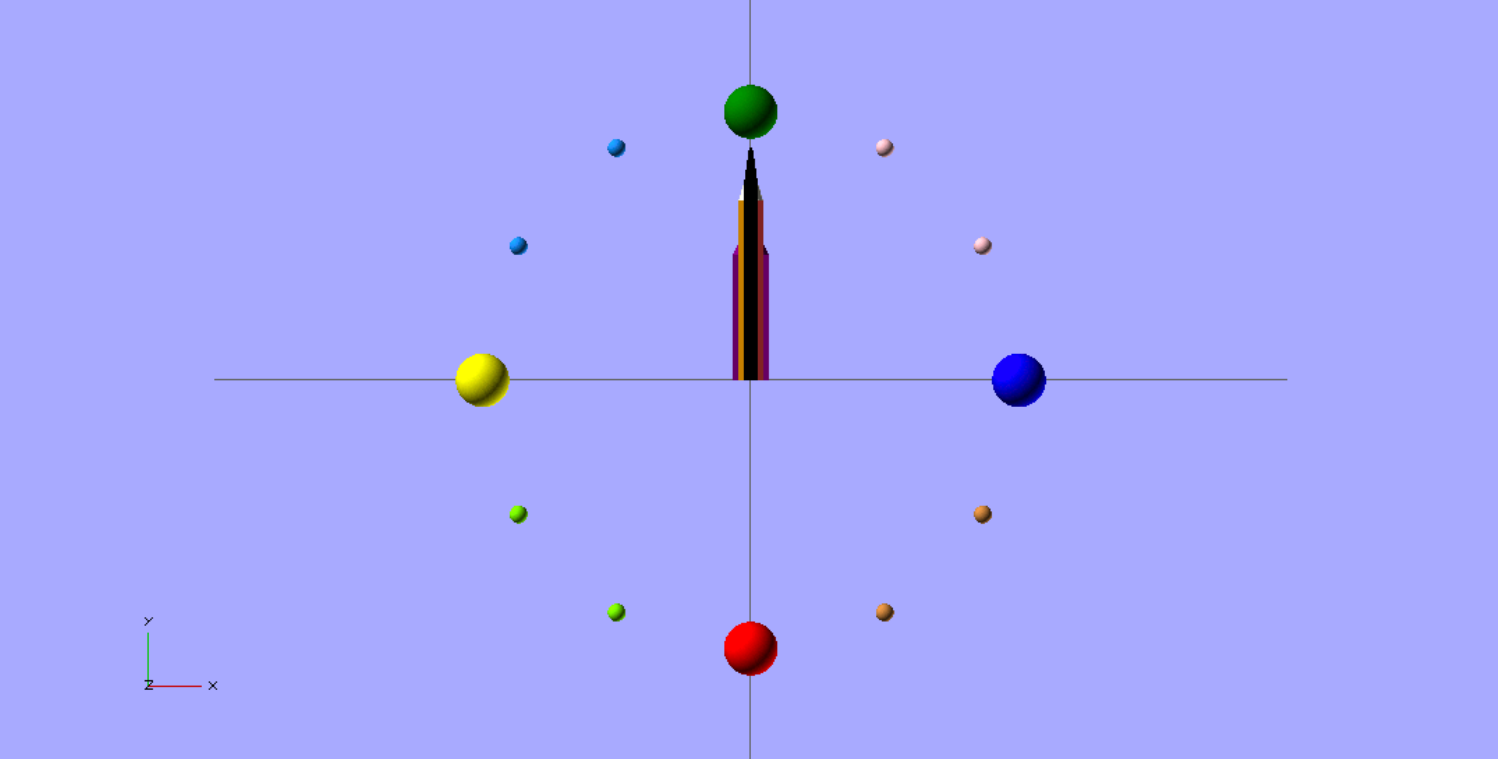
这个图片的帧率是 4 ,张数是 4 ,旋转角度是 360 度,就是在 0.25 秒旋转 90 度。
FPS=1, 就是一秒显示运动仿真一个 Steps, Times 还是会显示 1/Steps 秒 .
FPS=3, 就是一秒内显示三个 Steps.
Times = 1 / Steps 秒 ,
Steps/FPS= 实际每秒显示多少张图片。
FPS=Steps, 就是一秒内显示所有的 Steps.
我测试了, openSCAD 的最快的帧率是 50 steps 每秒,如果 Steps 太高也是不可以运行的,所以适当。
include <hdf1.scad>
clock();
module pin(a, b){
color("brown")
cube([b, a, 20]);
color("orange")
translate([0, a, 0])
rotate([0, 0, 180])
cube([b, a, 20]);
color("beige")
translate([0, a, 0])
rotate([-90, 0, 0])
cylinder(20, b, h=20);
}
// hours pin
rotate([0, 0, 360*$t])
color("purple")
pin(70,10);
// minutes pin
rotate([0, 0, 360*60*$t])
pin(100, 7);
因为 openSCAD 计算旋转一个圆圈周期是 360 度,所以这里的时钟仿真最大可以做到分针和时针,而秒针的确没有办法计算了。
我们把时针旋转设置成 360*$t, 表示整个运动仅仅仿真一个圆周,而这个时候分针则需要运动 60 圈,也就是 60 个圆周,表达为 360*60*$t 。
这个时候设置 FPS 为 60 , Steps 为 360 , 否则运算的太快, openSCAD 的运动会呈现不出来的。
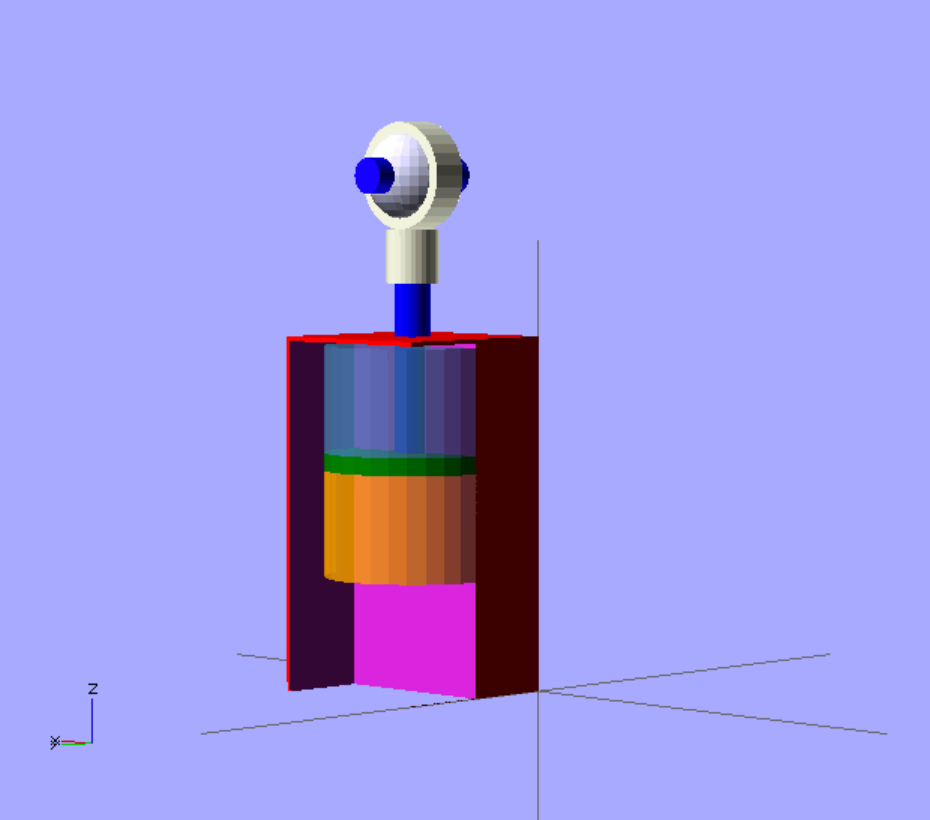
这个是一个液压缸运动仿真的案例,仅供参考。
module cushion(){
difference(){
color("red")
cube([200, 200, 400]);
translate([-5, 100, -5])
cube([200, 200, 400]);
}
translate([0,0,-120*$t])
union(){
color("blue")
translate([100, 100, 250])
cylinder (r=20, h=260);
color("beige")
union(){
translate([100, 100, 460])
cylinder (r=30, h=60);
rotate([90, 0, 0])
translate([100, 580, -120])
cylinder(r=60, h=40);
}
translate([100, 100, 580])
sphere (r= 52 , fn=200);
color("blue")
rotate([90, 0, 0])
translate([100, 580, -170])
cylinder (r=20, h=140);
color("green")
translate([100, 100, 250])
cylinder(r =100, h=20);
}
color("steelblue", 0.8)
translate([100, 100, 390])
rotate([0,180,0])
cylinder(r =100, h=120);
color("steelblue", 0.8)
translate([100, 100, 270])
rotate([0,180,0])
cylinder(r =100, h=120*$t);
color("orange", 0.8)
translate([100, 100, 130])
cylinder(r =100, h=120-120*$t);
}
cushion();
|






 南昌市红谷滩区名门世家2期8号楼608
 aoyakefu
 TEL:18720086320
 kefu@1wwz.com


 赣公网安备 36011102000700号
 OpenSCAD 第一步