openSCAD cos 函数
C 语言函数的描述:
#include
#include
#define PI 3.14159265
int main ()
{
double param, result;
param = 60.0;
result = cos ( param * PI / 180.0 );
printf ("The cosine of %f degrees is %f.\n", param, result );
return 0;
}
输出:
The cosine of 60.000000 degrees is 0.500000.
而在 openSCAD 中,可以直接输入 cos( 数值),而不是 C 语言中的 cos( 数值 *PI/180 )。
实例中立方体尺寸 cube(y), y=cos(45) 的数值是 0.707106781 ,而另外一个用立方体的尺寸直接用数值描述,输出的结果是一样的。
实例:
y=cos(45);
cube(y);
translate([1.5,0,0])
color("khaki")
cube(0.707106781);
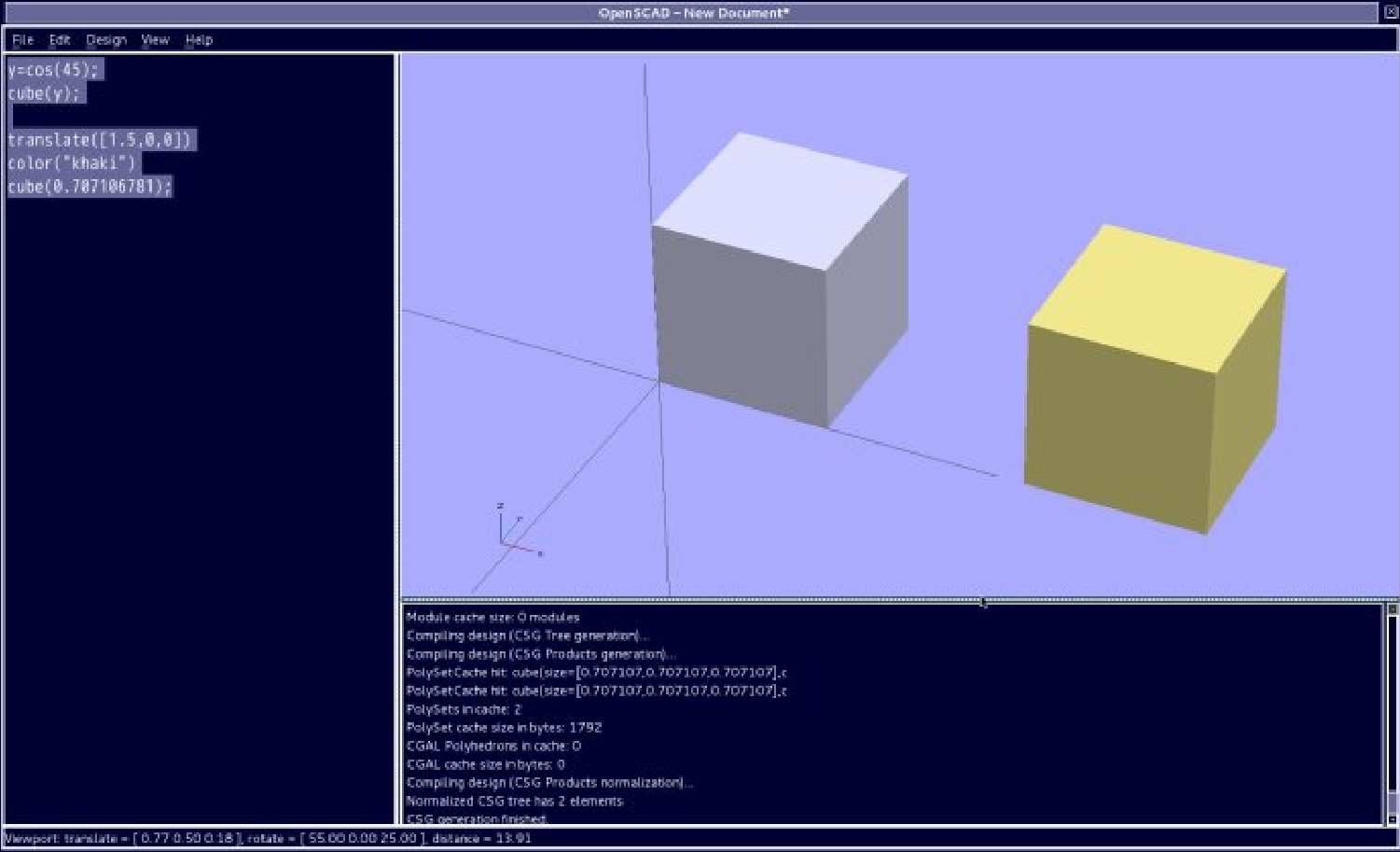
这里,更多的应用根据公式可以拓展。
公式: Cos (a) = x / r, 是根据已知 r 半径,或者循环增量 x 坐标 , 或者循环增量 a 角度,可以计算出一个圆弧轨迹。
实例:(这个实例是一个颜色分明的 12 小时时钟图形,用数学的的方法计算的 .)
r=150;
for(ag=[0:30:360])
{
if(ag==0)
{
color("blue")
translate([r,0,0])
sphere(r=15,$fn=100);
}
else{
if(ag>0 && ag<90)
{
color("pink")
translate([cos(ag)*r,sin(ag)*r,0])
sphere(r=5,$fn=100);
}
else{
if(ag==90)
{
color("green")
translate([0,r,0])
sphere(r=15,$fn=100);
}
else{
if(ag>90 && ag<180)
{
color("dodgerblue")
translate([cos(ag)*r,sin(ag)*r,0])
sphere(r=5,$fn=100);
}
else{
if(ag==180)
{
color("yellow")
translate([-r,0,0])
sphere(r=15,$fn=100);
}
else{
if(ag>180 && ag<270)
{
color("lawngreen")
translate([cos(ag)*r,sin(ag)*r,0])
sphere(r=5,$fn=100);
}
else{
if(ag==270)
{
color("red")
translate([0,-r,0])
sphere(r=15,$fn=100);
}
else{
if(ag>270 && ag<360)
{
color("peru")
translate([cos(ag)*r,sin(ag)*r,0])
sphere(r=5,$fn=100);
}
}}}}}}}
}
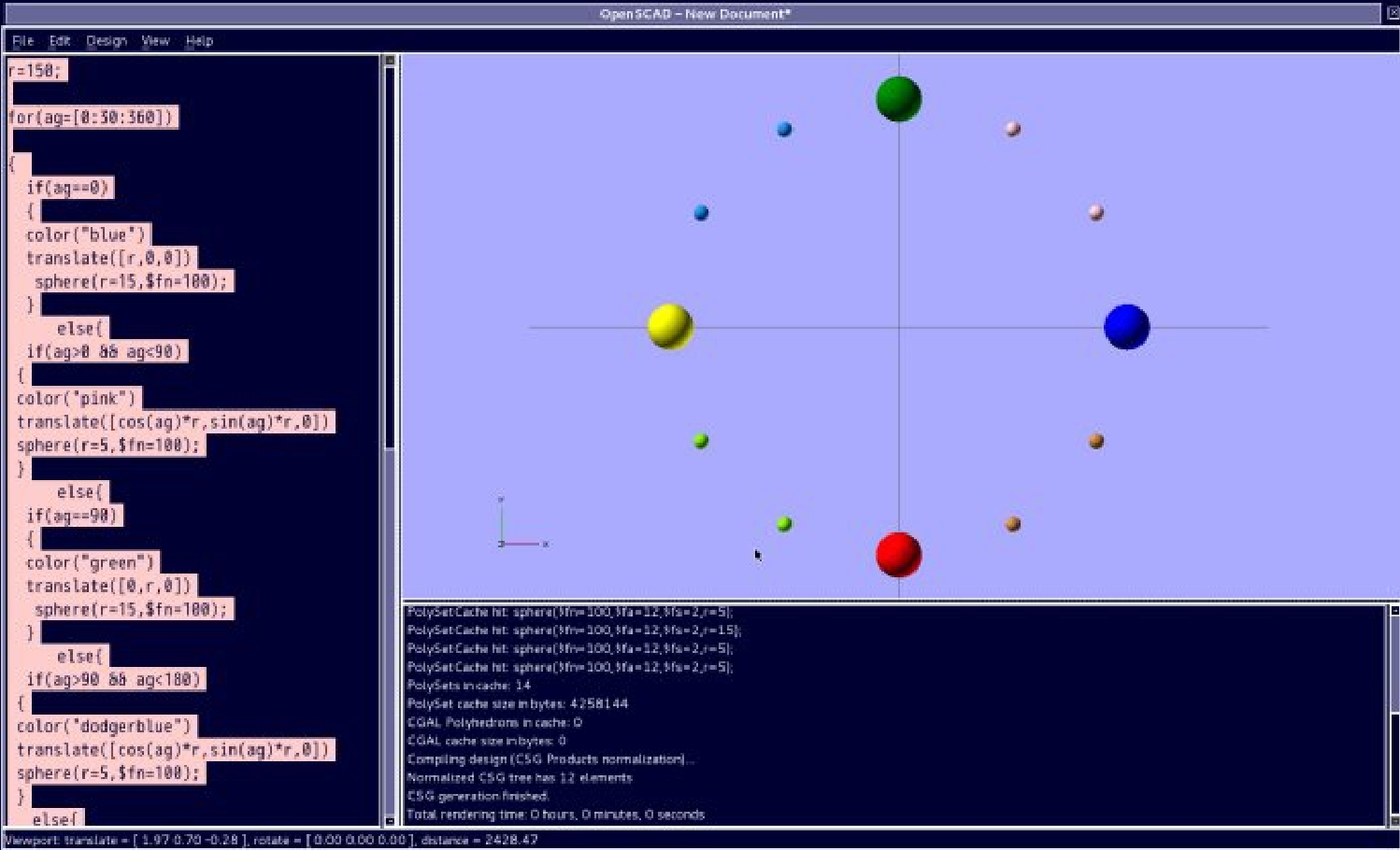
这里,还有一个相对简化的 12 位置时钟图形的画法:
实例代码:
r=150;
for(ag=[0:30:90])
{
if(ag>=0 && ag< 90)
{
color("red")
translate([cos(ag)*r,sin(ag)*r,0])
sphere(r=5,$fn=100);
}
if(ag>0 && ag<=90)
{
color("yellow")
translate([-cos(ag)*r,sin(ag)*r,0])
sphere(r=5,$fn=100);
}
if(ag>=0 && ag<90)
{
color("blue")
translate([-cos(ag)*r,-sin(ag)*r,0])
sphere(r=5,$fn=100);
}
if(ag>0 && ag<=90)
{
color("green")
translate([cos(ag)*r,-sin(ag)*r,0])
sphere(r=5,$fn=100);
}
}
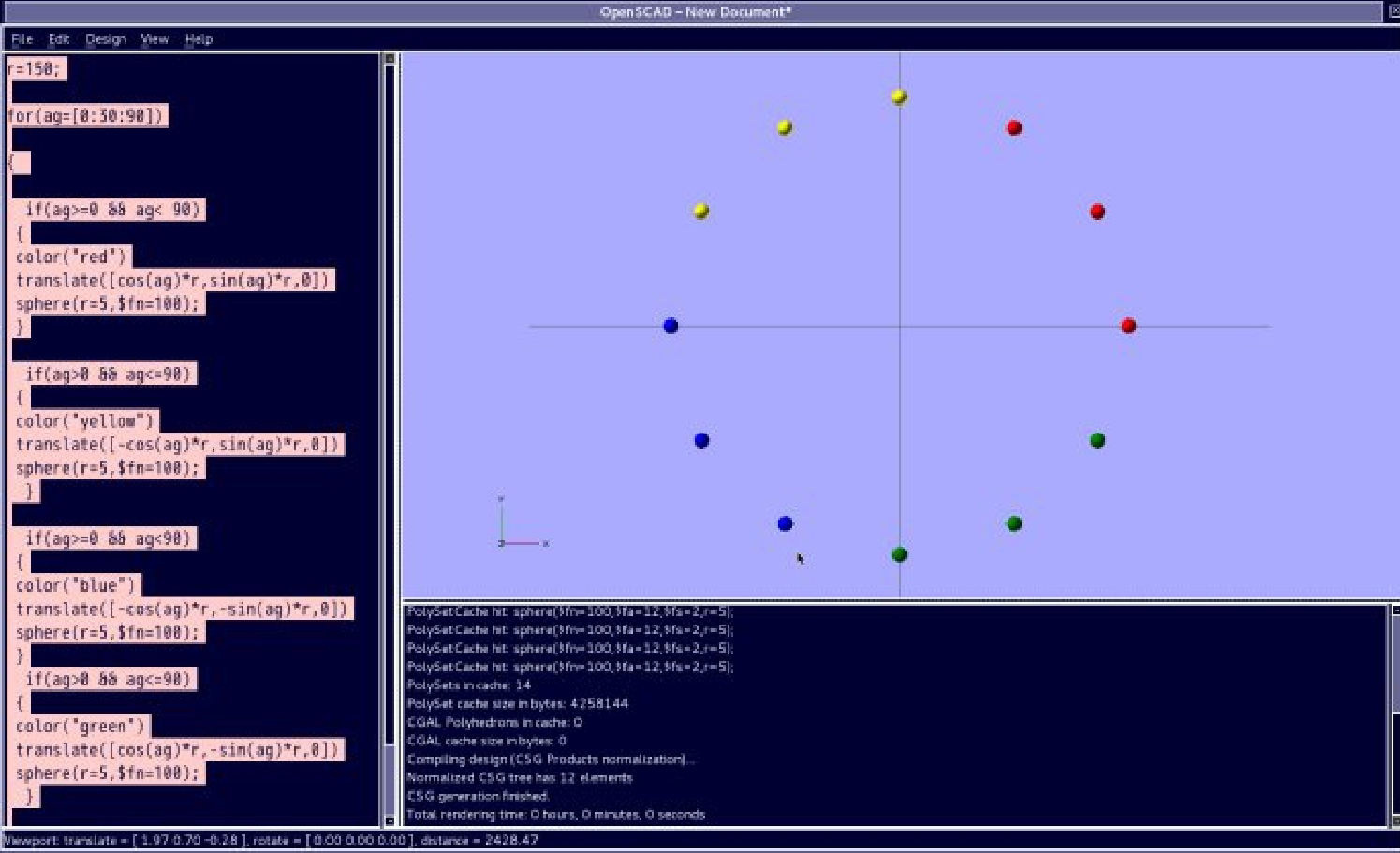
还有一个最简单的方法,上边的两个实例是使用了一些刚刚学习的数学运算符,逻辑运算符, 循环,条件选择,等等,更好的方便了学习 openSCAD 的各个功能。
更简单的 12 位置时钟图形的画法:
实例代码:
r=150;
for(ag=[0:30:360])
{
color("papayawhip")
translate([cos(ag)*r,sin(ag)*r,0])
sphere(r=10,$fn=100);
}
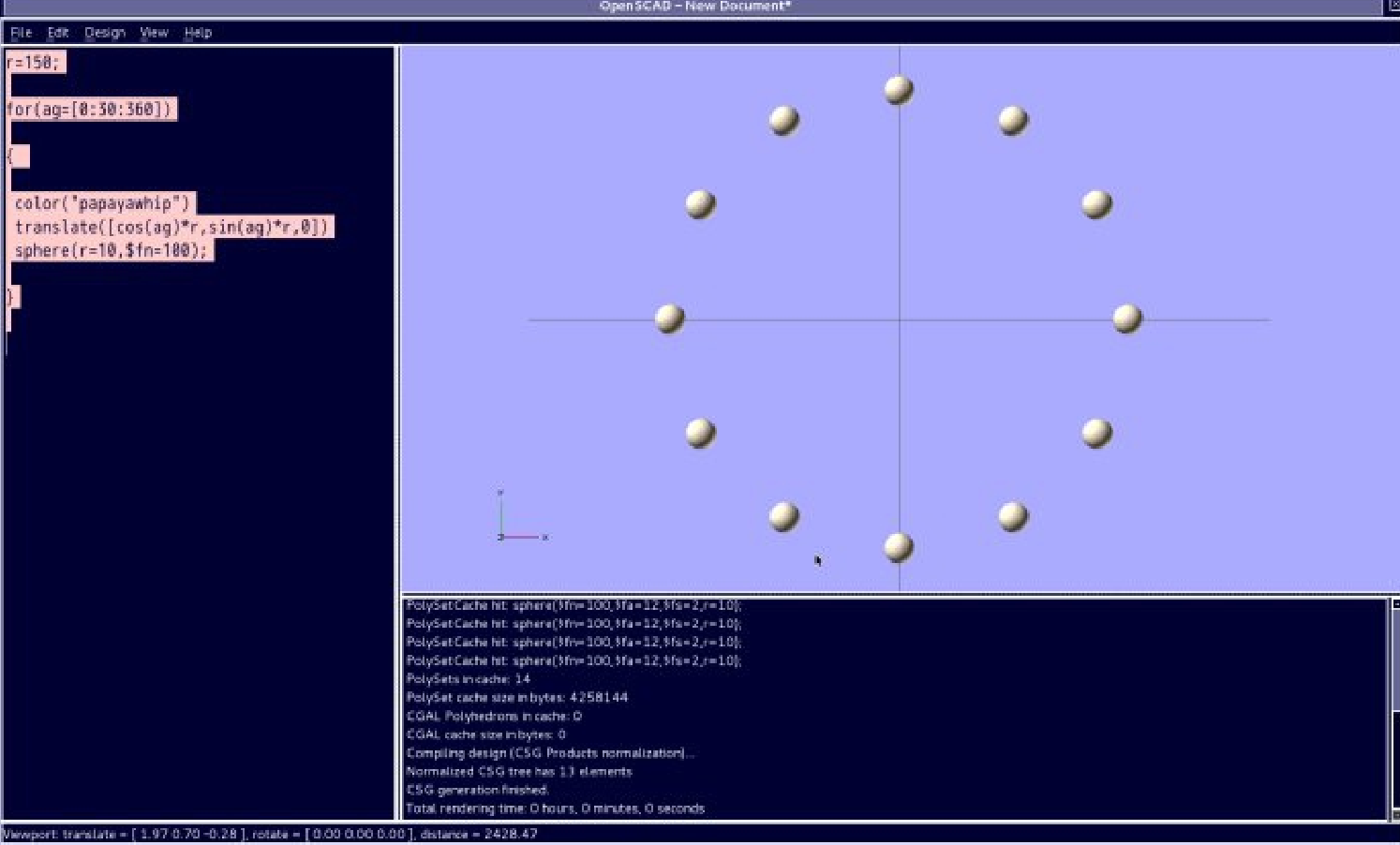
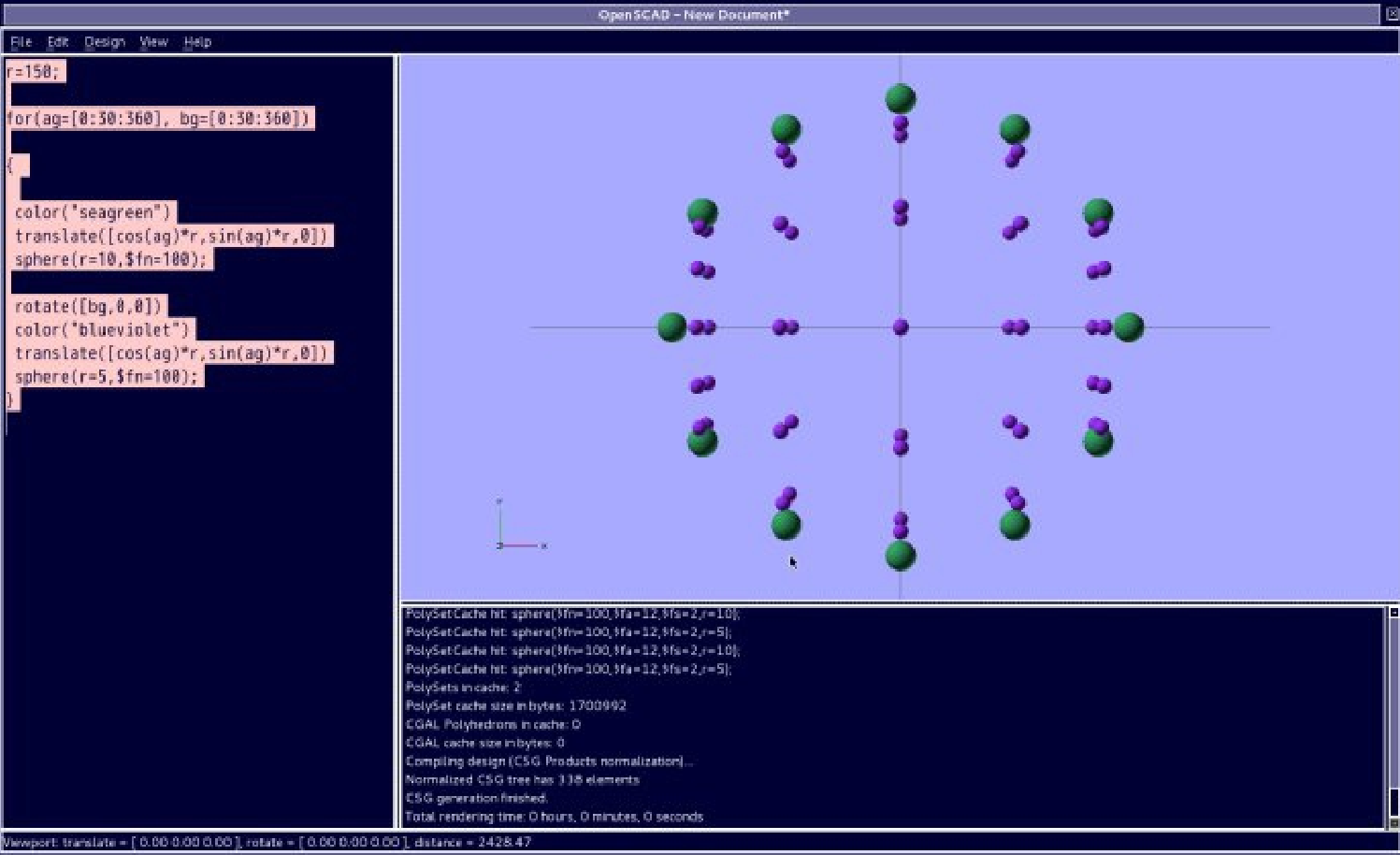
如果机械加工一个球形,机械是 x,y,z, 三个坐标(机械进给系统是三坐标, x , y , z 方向),那么其轨迹就是首先加工一个圆形( x,z 坐标的圆形),然后再以这个圆形的圆心点为中心旋转 ( 以 x, 或者 z 轴为中心旋转),从而可以完成整个球形。
(注意:增加一个嵌套的循环增量 bg, 用于旋转, bg 的密度,决定着旋转的精度;而循环增量 ag 是用于生成一个圆形, ag 的密度,决定着圆弧本身的精度, 不可以仅仅使用一个增量,否则球体无法完成。精度越高,计算的越复杂,计算机反应的速度就越慢,作为轨迹运算,的确很耗费内存。)
还有,当 ag,bg 的增量分别是 5 的时候,计算就超出了范围,引出了一个警告( WARMING )。
WARMING : Normalized tree has growing past 4000 elements. Aborting normalization.
WARMING: Normalized tree has 4000 elements.
WARMING: openCSG rendering has been disabled!
因为 openCSG 最多支持 4000 个模型,正常情况下所有,我们这个球形轨迹超了,但是如果是用引入数据文件( dat,txt 等基础文本格式的),然后生成一个模型,可以比较灵活的应用数学的功能,后边我们详细的在学习它吧!)
实例代码:
r=150;
for(ag=[0:30:360], bg=[0:30:360])
{
color("seagreen")
translate([cos(ag)*r,sin(ag)*r,0])
sphere(r=10,$fn=100);
rotate([bg,0,0])
color("blueviolet")
translate([cos(ag)*r,sin(ag)*r,0])
sphere(r=5,$fn=100);
}
| 





 南昌市红谷滩区名门世家2期8号楼608
 aoyakefu
 TEL:18720086320
 kefu@1wwz.com


 赣公网安备 36011102000700号
 OpenSCAD 第一步