resize (尺寸)(更改尺寸)
在 2013,05 之后的版本才能够支持 resize ()这个命令。它是设置子对象模型的尺寸到匹配的 x,y,z坐标。
只有高于这个版本的软件,才能够支持文字颜色否则只能用数字来表示。
使用实例:
// resize the sphere to extend 30 in x, 60 in y, and 10 in the z directions.
//  球体 (r=10), 半径为 10 的球体,位置起始 0 点。
//  位置, 33 , 0 , 0 ,颜色,粉色,更改尺寸到圆形扩展 30 到 x, 60 到 y, 10 到 z( 总高度)在的方向。
sphere(r=10);
translate([33,0,0])
color("pink")
resize(newsize=[30,60,10]) sphere(r=10);
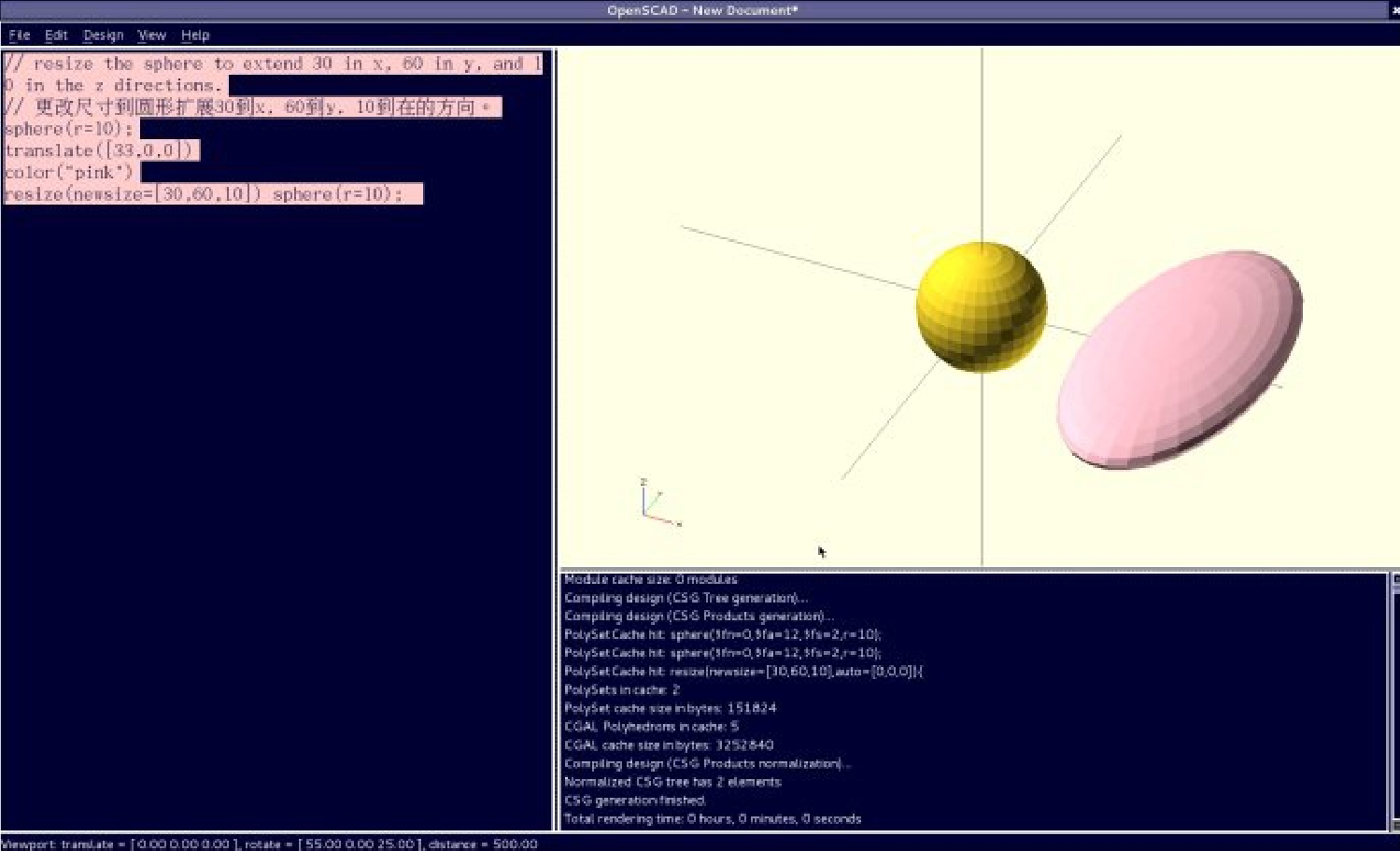
version 1
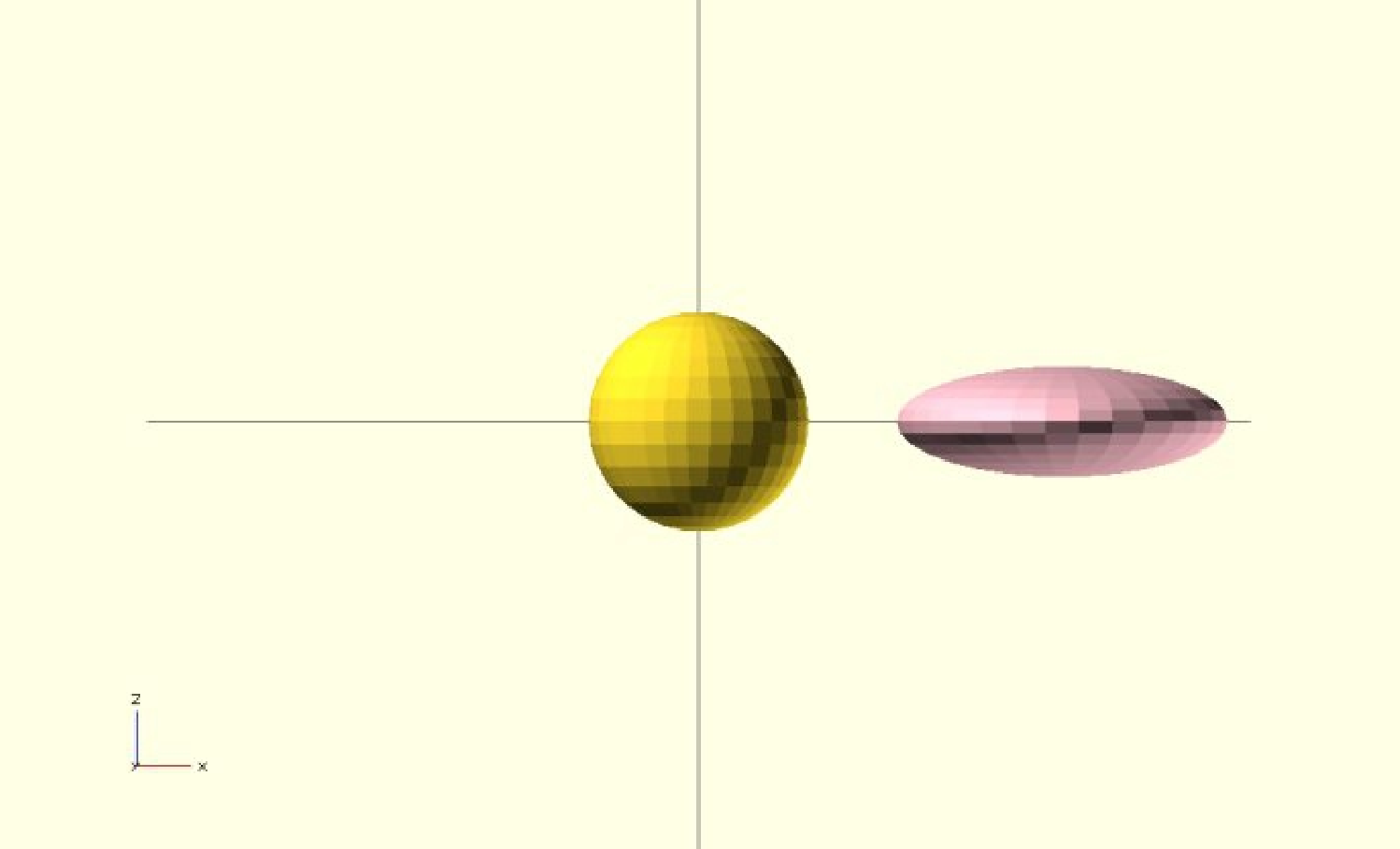
version 2
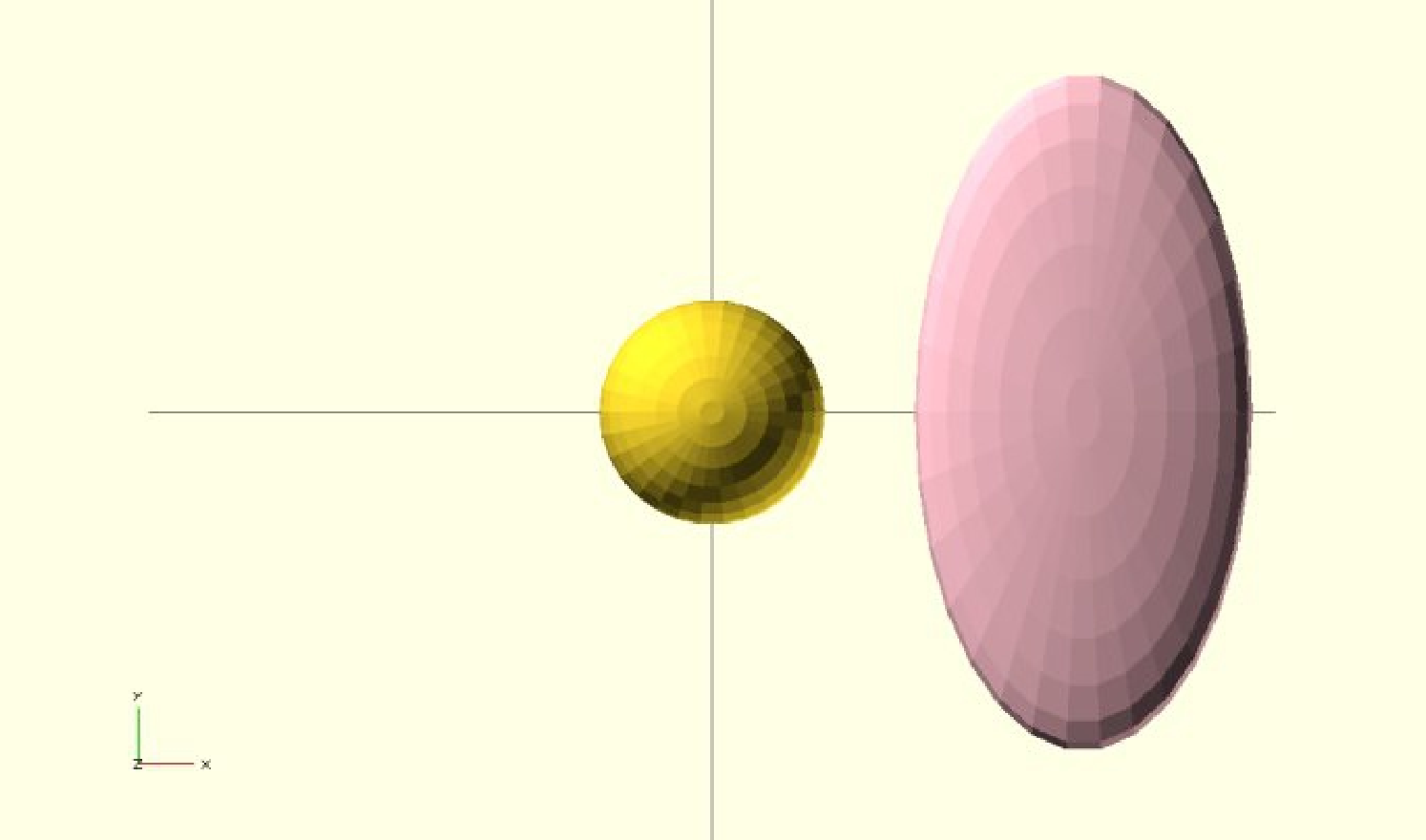
version 3
如果 x,y,z 是 0 ,然后测量是左为准。
//  更改尺寸 从 1*1*1  的立方体到 2*2*1 ,
//  位置从 0  到  4 , 0 , 0 , 颜色灰色
cube();
translate([3,0,0])
color("gray")
resize([2,2,0]) cube();
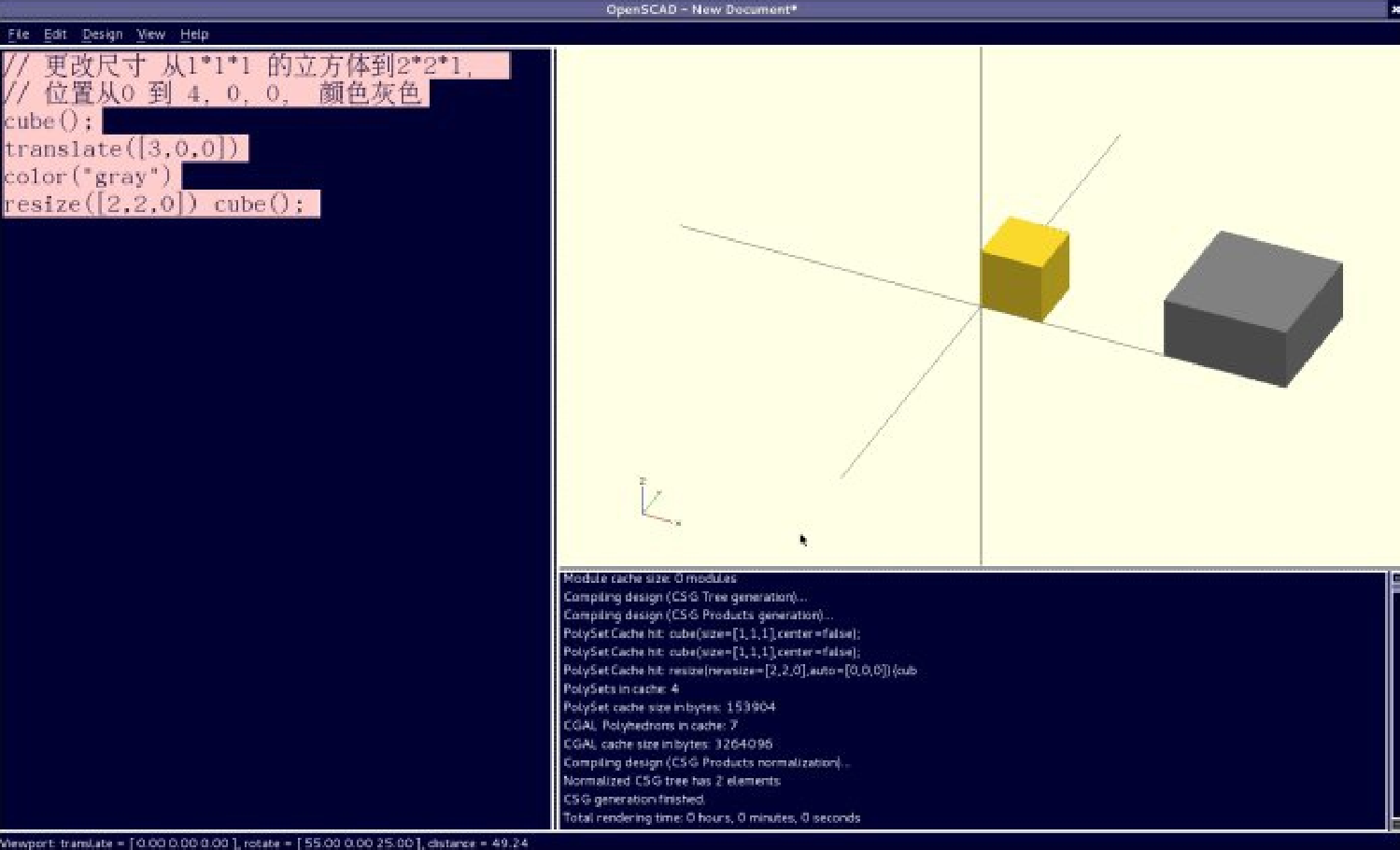
如果是 'auto' 自动的参数设置为“ ture” 是,它将会自动比例所有的 0 坐标的匹配,比如:
// resize the 1x2x0.5 cube to 7x14x3.5
//  更改尺寸从 1*2*0.5 立方体到  7*14*3 , 5
//  如果 auto=true ),表示自动开启,
//  则 resize([7,0,0],7:1 是 7 , x=1*7=7,y,z 都参照 x 的比例, 7 倍。
//  结果是 x=1*7=7, y=2*7=14,z=0.5*7=3.5
cube([1,2,0.5]);
translate ([2,0,0])
color ("purple")
resize([7,0,0], auto=true) cube([1,2,0.5]);
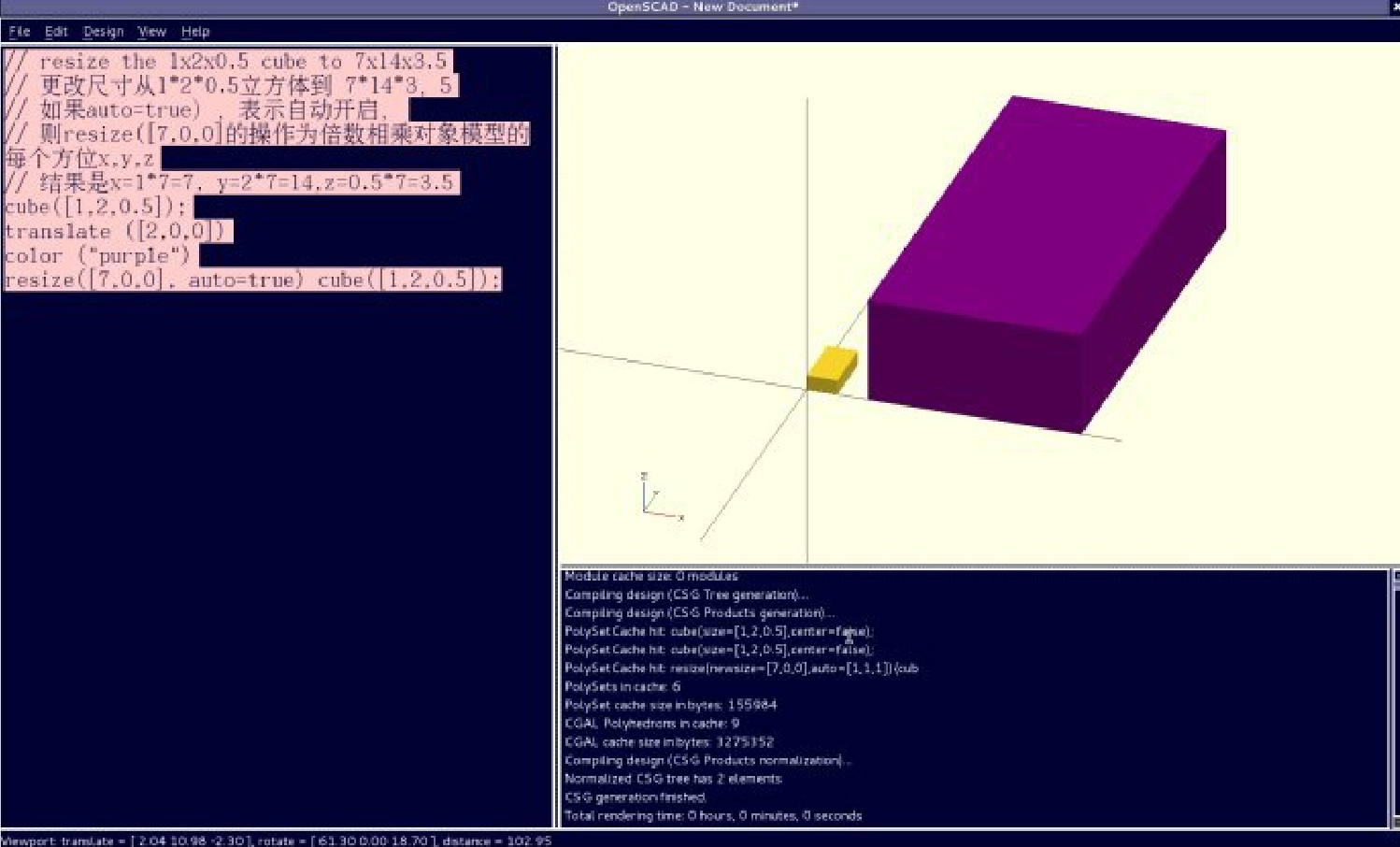
如果 'auto” 自动的参数可以同样是使用如果你仅仅希望自动比例 (auto-scale) 一个单个的尺寸测量,和离开其他的就像。例如:
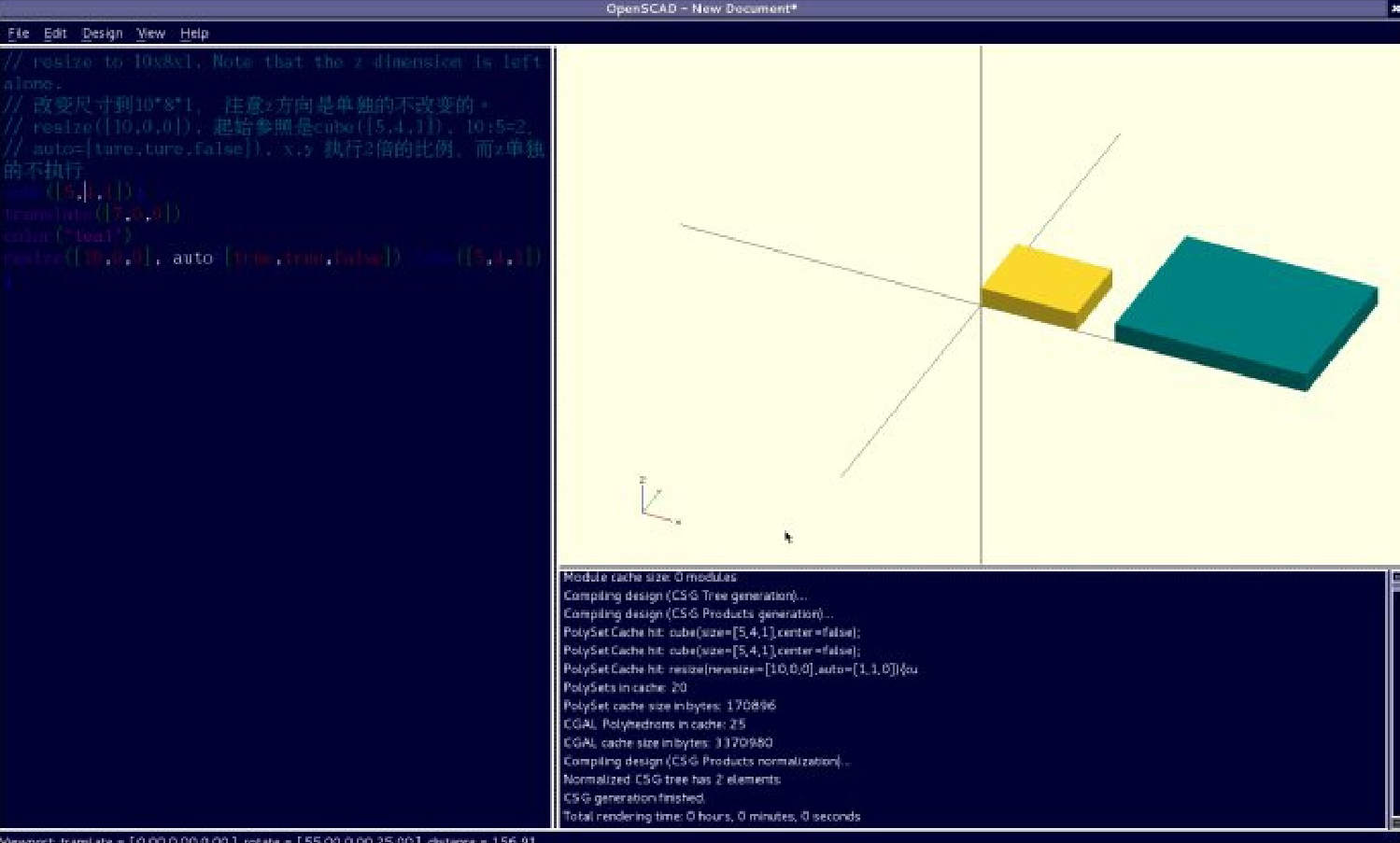
// resize to 10x8x1. Note that the z dimension is left alone.
//  改变尺寸到 10*8*1 , 注意 z 方向是单独的不改变的。
// resize([10,0,0]),  起始参照是 cube([5,4,1]), 10:5=2 ,
// auto=[ture,ture,false]), x,y  执行 2 倍的比例,而 z 单独的不执行
cube([5,4,1]);
translate([7,0,0])
color("teal")
resize([10,0,0], auto=[true,true,false]) cube([5,4,1]);
| 

 南昌市红谷滩区名门世家2期8号楼608
 aoyakefu
 TEL:18720086320
 kefu@1wwz.com


 赣公网安备 36011102000700号
 OpenSCAD 第一步