模块
定义你自己的模块(粗略的比较一个宏描述或者是一个函数在其他语言中的)是一个强大的方法用于重新使用的手续。
例如:
module hole(distance, rot, size) {
rotate(a = rot, v = [1, 0, 0]) {
translate([0, distance, 0]) {
cylinder(r = size, h = 100, center = true);
}
}
}
在这个实例中,通过其中的 distance( 距离 )rot( 旋转 ) size( 尺寸 ) ,允许你重新使用这个功能性的乘积幂,保存很多行代码并且渲染你的程序更加的简单。类似于 C 语言中的 struct, 或者 scanf 编译后的函数。
你可以例证模型通过数值(或者公式)到参数就像是 C 语言的函数 call:
hole(0, 90, 10);
完整的实例代码:
module hole(distance, rot, size) {
rotate(a = rot, v = [1, 0, 0]) {
translate([0, distance, 0]) {
cylinder(r = size, h = 100, center = true);
}
}
}
hole(0, 90, 10);
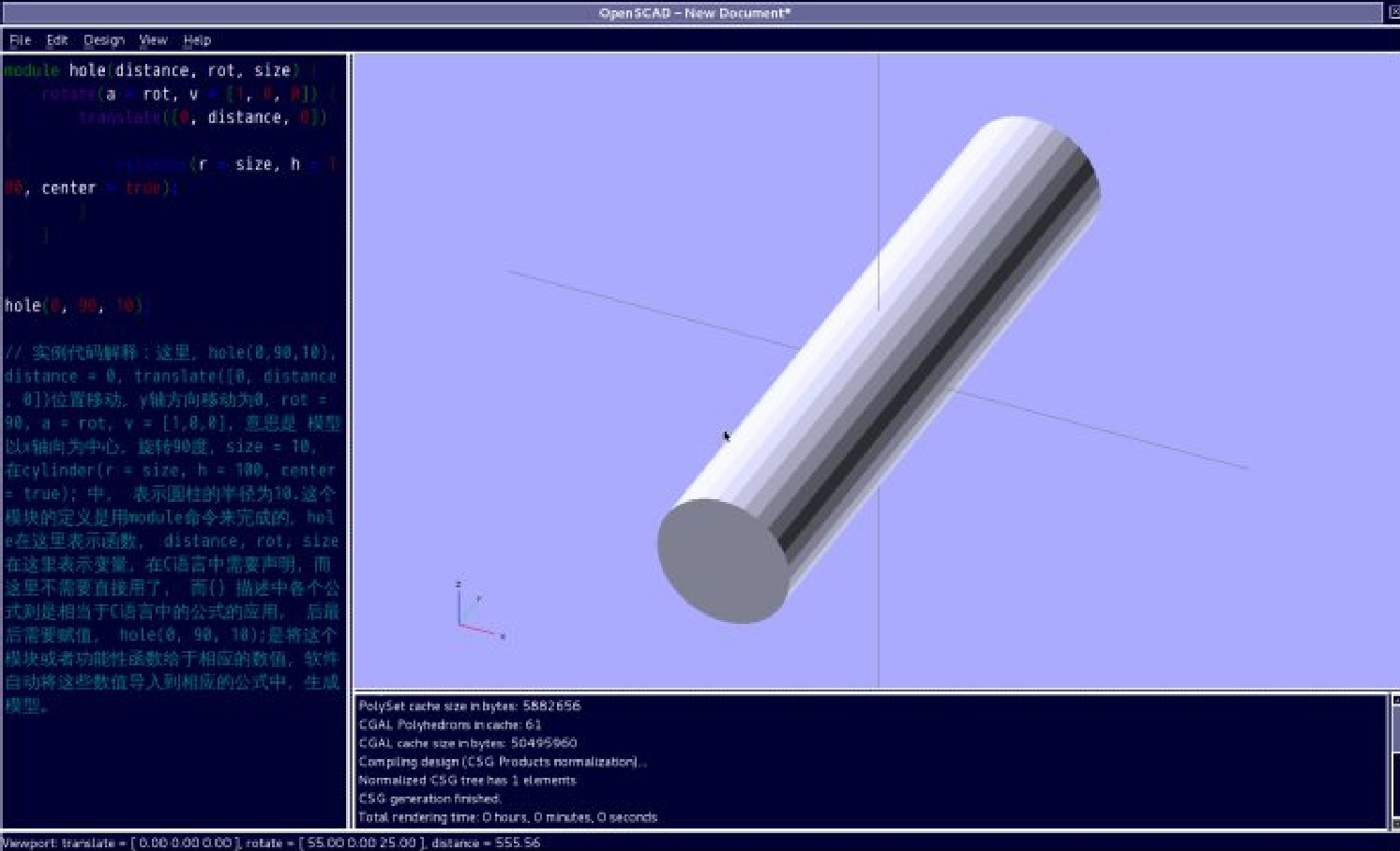
模型图片如下:
P-4.10
实例代码解释:这里, hole(0,90,10),
distance = 0, translate([0, distance, 0]) 位置移动, y 轴方向移动为 0 ,
rot = 90, a = rot, v = [1,0,0], 意思是 模型以 x 轴向为中心,旋转 90 度,
size = 10, 在 cylinder(r = size, h = 100, center = true); 中, 表示圆柱的半径为 10.
这个模块的定义是用 module 命令来完成的, hole 在这里表示函数, distance, rot, size 在这里表示变量,在 C 语言中需要声明,而这里不需要直接用了, 而 {} 描述中各个公式则是相当于 C 语言中的公式的应用, 后最后需要赋值, hole(0, 90, 10); 是将这个模块或者功能性函数给于相应的数值,软件自动将这些数值导入到相应的公式中,生成模型。
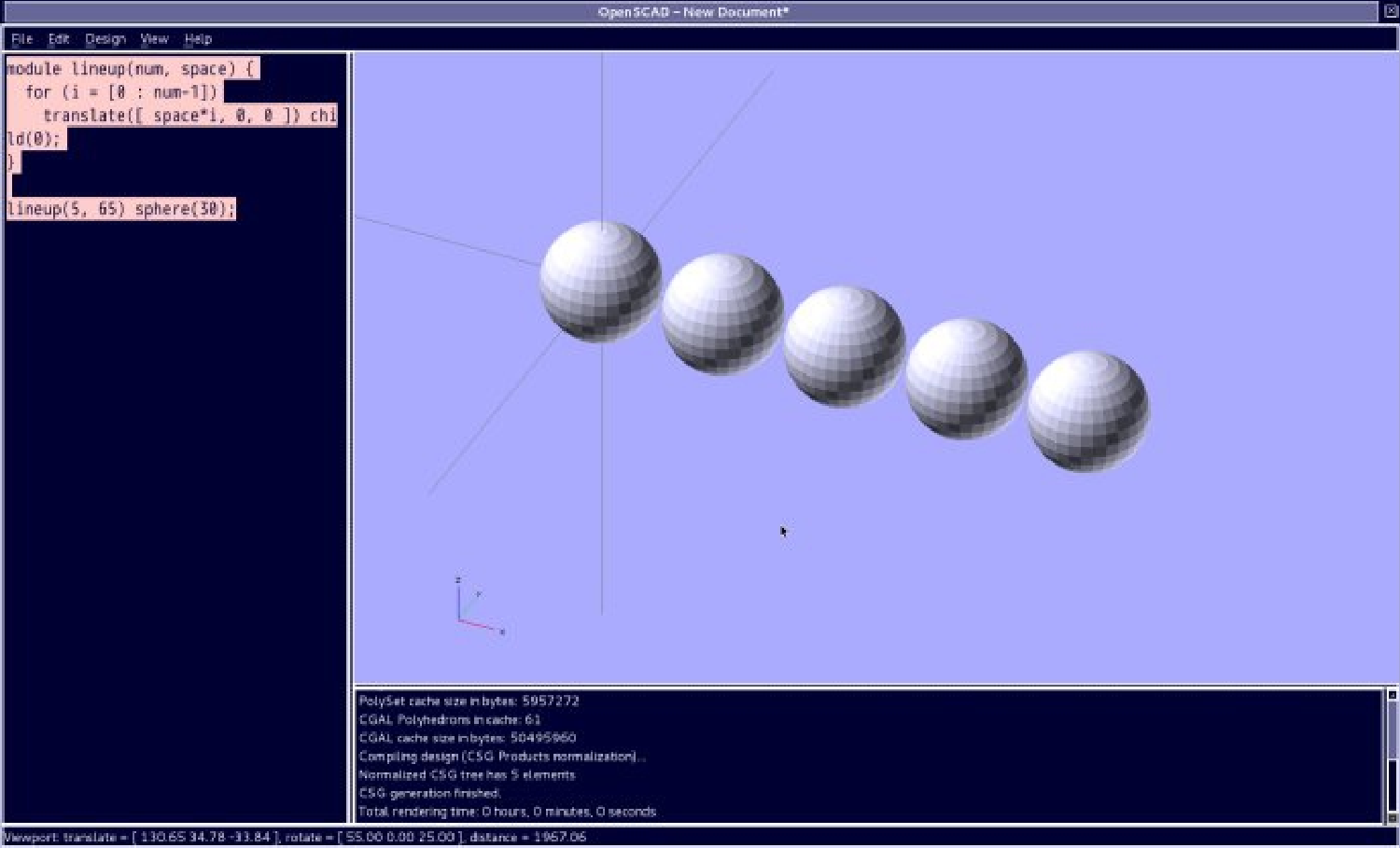
子节点的模块例证可以访问使用 child() 声明在模块中:
module lineup(num, space) {
for (i = [0 : num-1])
translate([ space*i, 0, 0 ]) child(0);
}
lineup(5, 65) sphere(30);
P-4.11
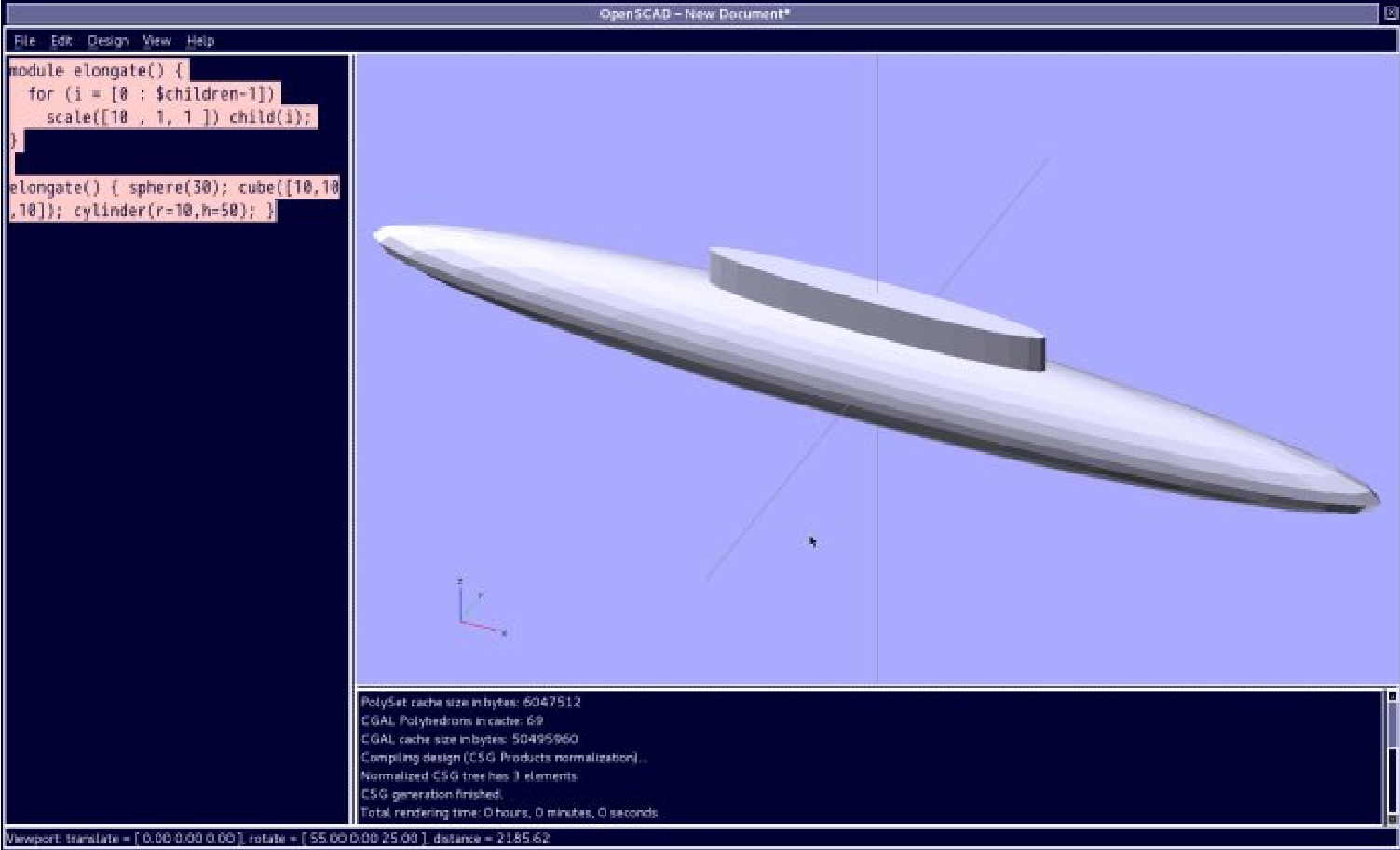
如果你需要制作你的模块重复所有的子对象模型你将会需要使用 $ 符号子对象模型变量,例如:
module elongate() {
for (i = [0 : $children-1])
scale([10 , 1, 1 ]) child(i);
}
elongate() { sphere(30); cube([10,10,10]); cylinder(r=10,h=50); }
P-4.12
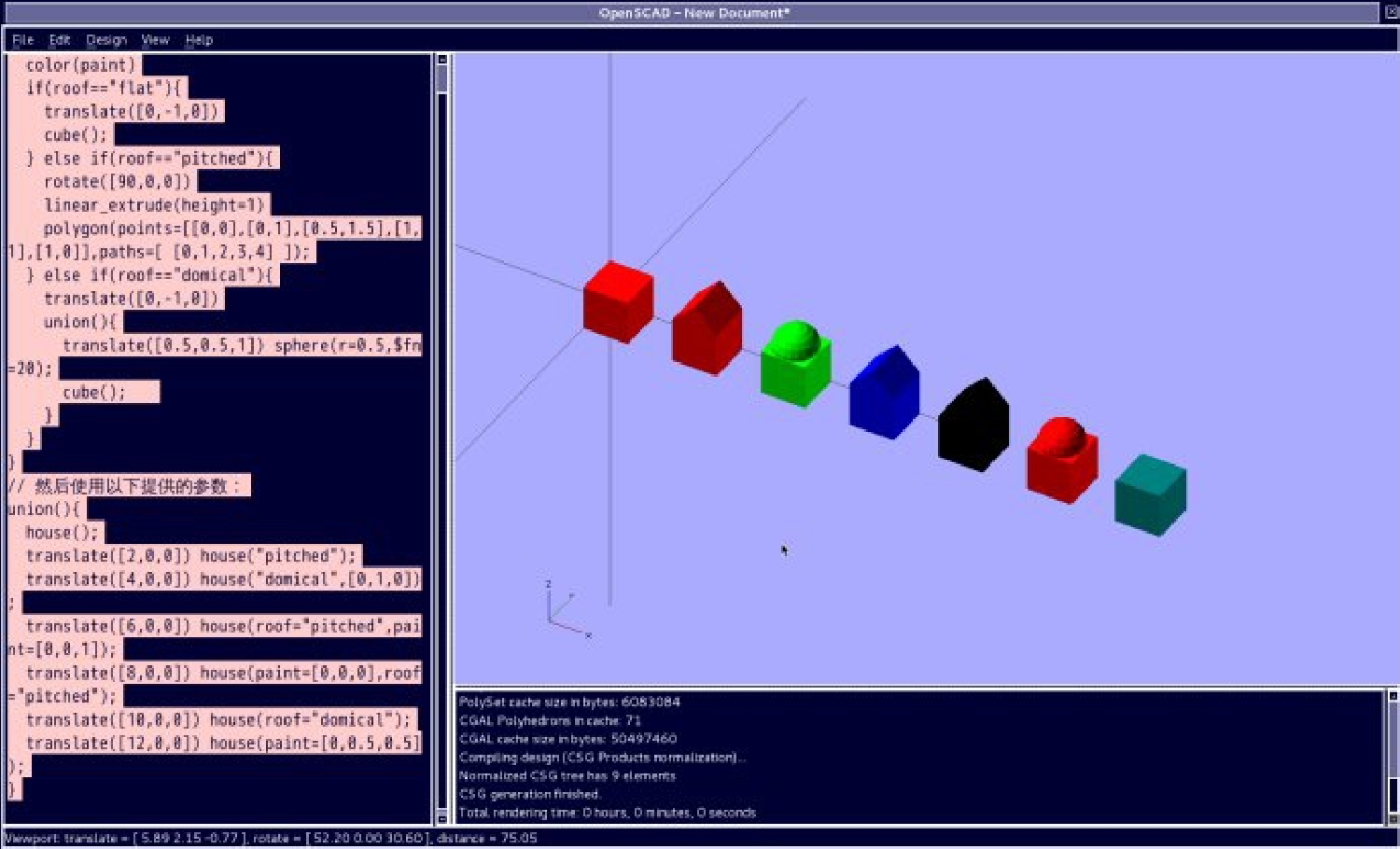
一个可以配置默认数值到参数:
module house(roof="flat",paint=[1,0,0]){
color(paint)
if(roof=="flat"){
translate([0,-1,0])
cube();
} else if(roof=="pitched"){
rotate([90,0,0])
linear_extrude(height=1)
polygon(points=[[0,0],[0,1],[0.5,1.5],[1,1],[1,0]],paths=[ [0,1,2,3,4] ]);
} else if(roof=="domical"){
translate([0,-1,0])
union(){
translate([0.5,0.5,1]) sphere(r=0.5,$fn=20);
cube();
}
}
}
//  然后使用以下提供的参数:
union(){
house();
translate([2,0,0]) house("pitched");
translate([4,0,0]) house("domical",[0,1,0]);
translate([6,0,0]) house(roof="pitched",paint=[0,0,1]);
translate([8,0,0]) house(paint=[0,0,0],roof="pitched");
translate([10,0,0]) house(roof="domical");
translate([12,0,0]) house(paint=[0,0.5,0.5]);
}
|


 南昌市红谷滩区名门世家2期8号楼608
 aoyakefu
 TEL:18720086320
 kefu@1wwz.com


 赣公网安备 36011102000700号
 OpenSCAD 第一步